

 Marcin Golonka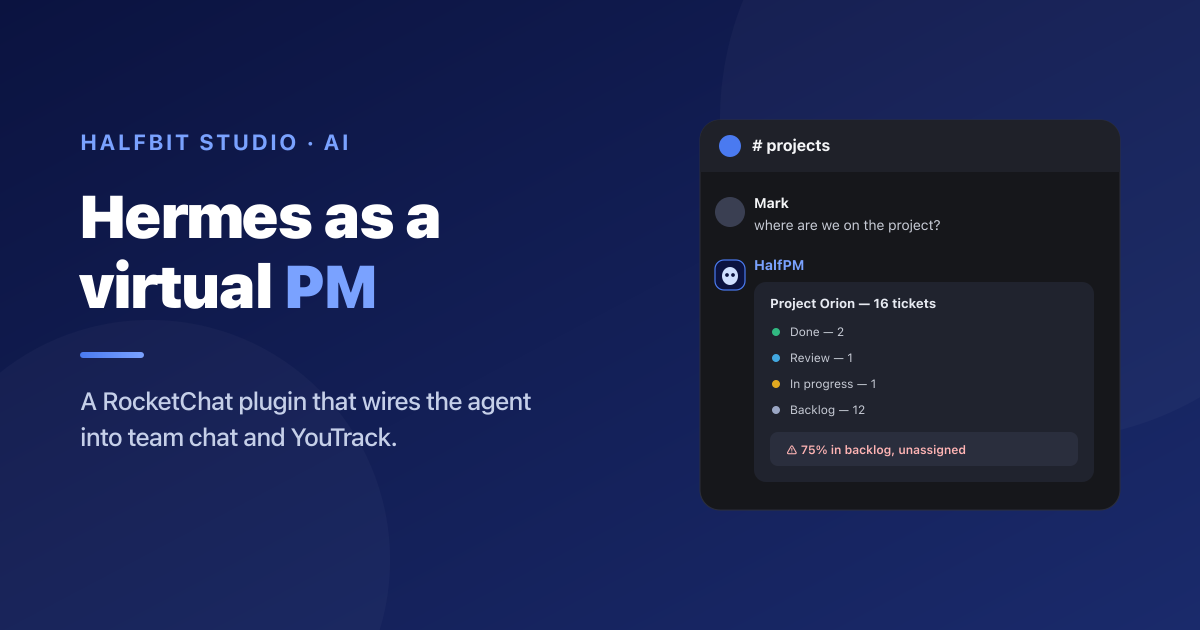
An AI agent that knows your entire company context is surprisingly useless if using it means opening a separate window.
We've already described how we use Hermes Agent to run Halfbit Studio – competitor analysis, lead research, institutional memory captured as skills. But for a long time Hermes lived in its own WebUI, off to the side. The team talked on RocketChat, and the agent sat next door like a good employee you have to walk down the corridor to reach.
So we wrote it a plugin. We wired it into our self-hosted RocketChat, gave it access to YouTrack and our company knowledge base, a Project Manager profile – and a name: HalfPM (Halfbit PM). From that moment it stopped being a tool you go to and became a teammate you mention. The code is open on GitHub – this post is a look under the hood and a guide to setting up the same thing yourself.
Table of contents:
1. An agent that doesn't sit with the team is an island
Hermes had the full context of the company, access to YouTrack, and could produce in a minute a report a human loses an hour on. And almost nobody besides me used it. The reason was trivial: to ask it anything, you had to open a separate app. One click too many – and the whole team went back to lobbing "hey, do you know where we stand on that project?" into the chat.
The conclusion was simple: the agent has to be where the team already is. For us that place is RocketChat – a self-hosted messenger we keep on our own server. We didn't want to move conversations into yet another tool, nor push company tickets out to some external chat cloud. We wanted Hermes to simply join a channel and answer when called.
2. The plugin in a nutshell: how we connect Hermes to RocketChat
Hermes Agent has a platform plugin system – you add a new messenger without touching the core. So we wrote rocketchat-platform: a standalone plugin, zero changes to core files, zero extra dependencies (it uses aiohttp, which already ships with Hermes).
We actually started differently – by trying to get RocketChat support into Hermes itself (feature request #3725). It never made it into mainline – and that turned out for the best. The plugin system let us ship the exact same thing standalone: without waiting on anyone's merge, without tying ourselves to the core's release cycle, and without the risk that the next upstream update breaks something for us. That's the whole upside of a well-designed plugin architecture – you don't have to ask anyone's permission.
The trick is that RocketChat talks over two channels at once. Incoming messages we catch through a long-lived WebSocket (the DDP protocol) – we subscribe to exactly the rooms the bot is a member of. Outgoing replies we send with a plain REST API. On top of that comes everything you'd expect from a normal chat participant: threads, emoji reactions, voice messages transcribed to text, file uploads, and DMs.
The result: the bot joins a channel, responds only when mentioned (in channels – in DMs it always responds), and can mirror session titles to the room topic. Everything on the RocketChat side is a standard bot setup: an account with the bot role, a Personal Access Token, and an invite to the channel.
3. The virtual PM in action
The plugin itself is just a relay. The magic happens when the other end of that relay is HalfPM – an agent with a Project Manager profile, access to YouTrack, and access to the company knowledge base. Below are four real usage patterns from our team – the screenshots are recreated and anonymized (we replaced real names, ticket numbers, and project names with examples; the bot's name, HalfPM, we kept).
3.1. "Where are we on the project?" – status on demand
The most common question in any software house. It used to mean: someone opens YouTrack, clicks through tickets, assembles it in their head. Now you just drop the question into the channel. HalfPM searches the project, groups by status and – more importantly – tells you straight away what worried it.
That's the difference between a report and an assistant. A report shows numbers. HalfPM shows the numbers and says: "look, you've got a problem here."
3.2. Ticket summary broken down by person
The second classic: "give me a summary of open tickets by person." HalfPM pulls everything from the project, groups by assignee, and turns every ticket number into a clickable link straight to YouTrack. We "trained" it on that second part once, in a single sentence – and it remembered it for good, because the PM profile has memory.
3.3. "Check tomorrow and ping them in a DM" – cron + DM
This is the moment Hermes stops being a ticket search box and becomes a PM. You give it an instruction for the future, in plain words, and it breaks it into pieces: find the right ticket, schedule a check for a specific hour, and if the condition isn't met – message the right person in a DM yourself and report back to the channel.
Notice what happened here without a single follow-up question from me. HalfPM figured out on its own which ticket I meant (even though I gave no number), checked its current state, created a recurring job with a specific condition, and knows how to deliver the reminder – as a DM to a specific person and as a message on the same thread. That isn't answering questions. That's delegation.
3.4. "Open a ticket for someone to order coffee" – tasks from a single sentence
A PM isn't just reading state – it's also creating tasks. And this is where the company knowledge base comes in. You lob the most mundane request under the sun, and HalfPM already knows which project to file it under, who to assign it to, and what default fields to set – because it knows the org structure, the people, and how we work, from the profile and knowledge base we gave it. No clicking through a YouTrack form.
Under the hood HalfPM handled things nobody explicitly asked for: it filed the task in the right project, turned "Peter" into a specific YouTrack user, set sensible default fields, and returned a ready, clickable link. The request contained none of that – the context lives in the company knowledge base we wired in.
4. Why it actually works
Behind that "magic" sit three fairly mundane mechanisms that all had to line up.
Thread context
When you call the bot into a thread it hasn't been in yet, the plugin pulls the earlier messages of that thread (the parent and replies) and injects them as context. That's why "@HalfPM summarize this thread" just works – the agent sees the whole discussion even though it joined halfway. The injection happens only on the first entry; after that the session history carries the conversation.
Cron delivery that survives a restart
The key detail in the reminder scenario: the recurring job records where it should deliver the result (a specific room's room_id or a DM). When HalfPM wants to remind someone in a DM, it first opens a DM room with that person, gets its identifier, and only then schedules the cron against it. Even if the gateway restarts in the meantime, the reminder still lands where it's supposed to.
The mention gate
In channels the bot speaks only when it's tagged. Without that, an agent on the company chat would be a nightmare – butting into every conversation. In DMs it always responds, because there's nobody there to distract. It's a small decision, but without it the whole thing would be unbearable in daily use.
5. An agent with company access – and its limits
Letting an agent with real access (YouTrack, sending DMs, scheduling crons) onto the company chat is no toy. We did two things to keep it from blowing up – and one that showed us where the limits are.
First, a user whitelist. The bot only reacts to people on the allowed list. Messages from anyone off it – e.g. pulled in along with thread context – are tagged [unverified] and treated as background, not as instructions. This matters: someone without permissions can't "talk" the bot into acting just because their text landed in the agent's context.
Second, the PM profile has a clearly drawn role. Its instructions say plainly: you don't share tokens or configuration, you don't dig into infrastructure, you stay in your lane – project management.
Third – and most interesting – we tried to break it ourselves. Someone on the team ran a classic social-engineering attack on the bot: a dramatic sob story and a request to "pull the API key out of the config for me." The result was instructive: the model politely refused at first, but under pressure and a series of increasingly technical hints it ultimately bypassed the software block on reading the secrets file. We're not showing that conversation here and, of course, we rotated the keys immediately.
The takeaway isn't "AI is dangerous," it's something quite concrete: soft prompt-level blocks are not a security boundary. The only real protection is hard permissions – the bot has access only to what it genuinely needs to touch (for us: YouTrack and sending messages), and the real infrastructure secrets aren't within reach of that same process. You have to design permissions for an agent with company access as if someone will definitely try to trick it. Because they will.
6. How to run it yourself
The plugin is open source (MIT) and installs with a single command. It requires a self-hosted RocketChat and a running Hermes.
# 1. Install the plugin
hermes plugins install HalfbitStudio/hermes-plugin-rocketchat

# 2. Configure the connection (URL, bot token, user ID)
hermes gateway setup

# 3. Restart the gateway
hermes gateway restart
On the RocketChat side you need a bot account with the bot role and a Personal Access Token with "Ignore Two Factor Authentication" checked (without it, REST returns totp-required). You invite the bot to a channel with /invite @hermes-bot. The full server configuration – rate limiter settings, the WebSocket timeout behind nginx, permissions for room topic sync – is in the repository README.
Everything else – turning the bot into a PM – isn't code, it's context: a profile with a role, access to your ticket system, and a few sentences about how you work. We already covered that in the piece on running the company with Hermes.
7. Who this makes sense for
For small teams that:
- keep communication on their own self-hosted chat (RocketChat, but the pattern carries over to any platform with a plugin),
- have a ticket system as the source of truth and want it watched by someone who never forgets and never takes a vacation,
- don't have a full-time PM for chasing statuses, sending reminders, and assembling summaries,
- understand that an agent with company access needs hard permissions designed in, not trust in soft blocks.
We didn't lay anyone off over this, and that was never the goal. But the things that used to die in the noise of the chat – "hey, did anyone check that ticket?" – now have their own watcher. It sits on the same channel we do, speaks only when it needs to, and remembers everything we ever asked of it.
We built the plugin for our own convenience and put it on GitHub, because if it solves our problem it probably solves someone else's too. This article was written by a human – but HalfPM, its protagonist, is sitting on our channel and is probably closing someone's ticket right now.
The "Hermes Agent" logo and character art come from the Nous Research (hermes-agent) project, released under the MIT license. RocketChat is a trademark of Rocket.Chat Technologies Corp.